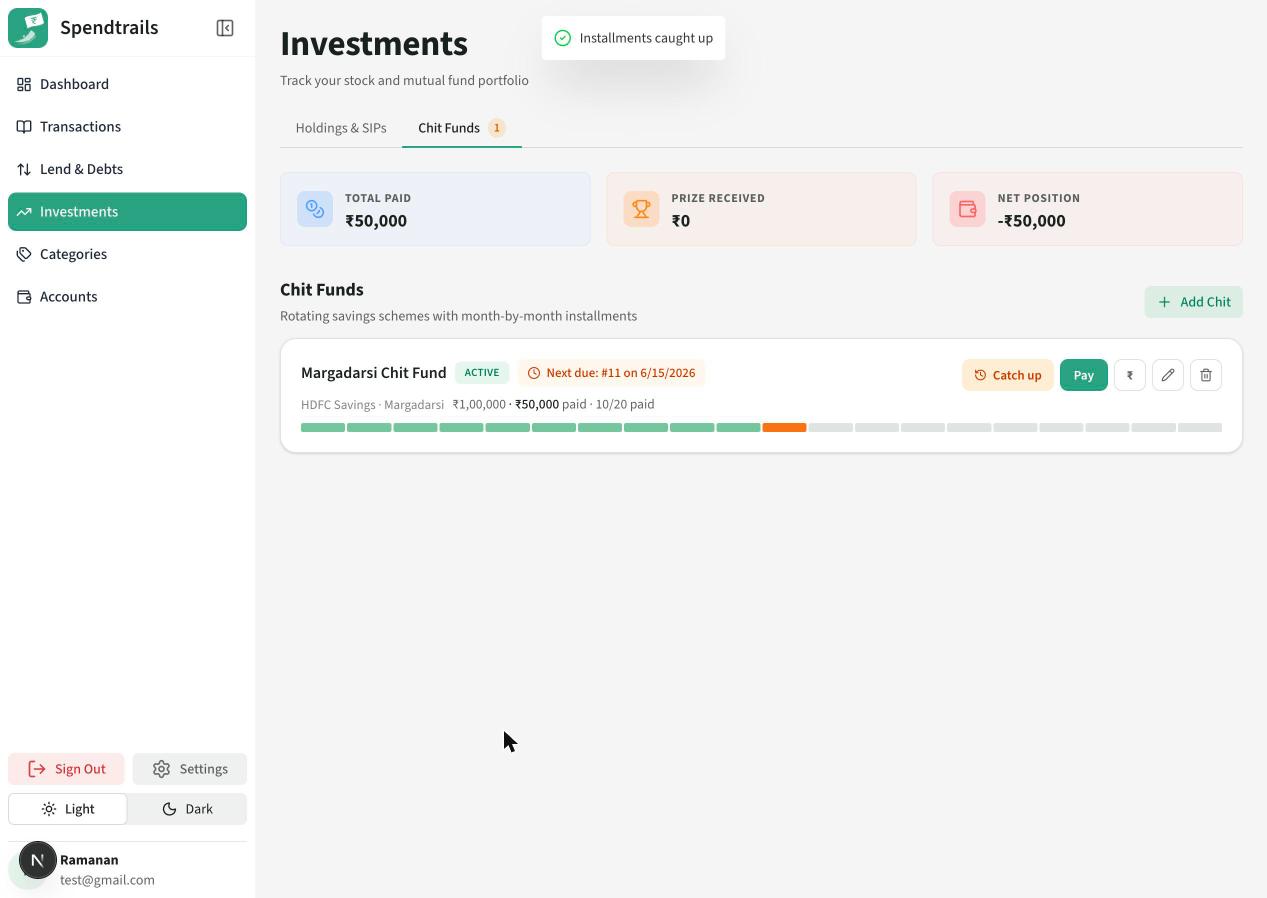
Chit Funds
What's the difference between 'Catch up' and the 'Pay' button?
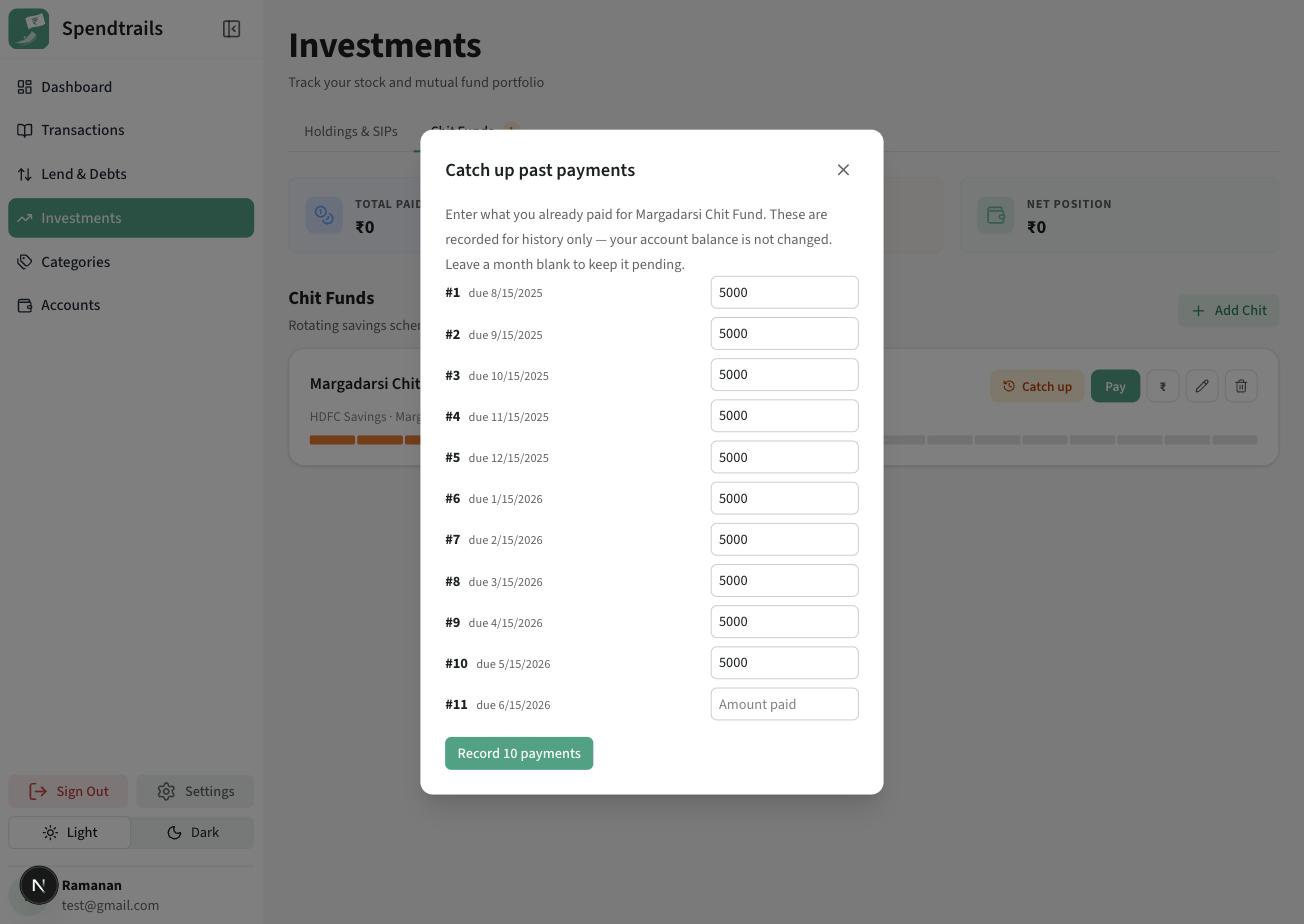
'Catch up' is for installments you already paid in the past - usually before you started tracking the chit here. It records them for history only and does NOT change any account balance. Use it to bulk-enter several months at once.
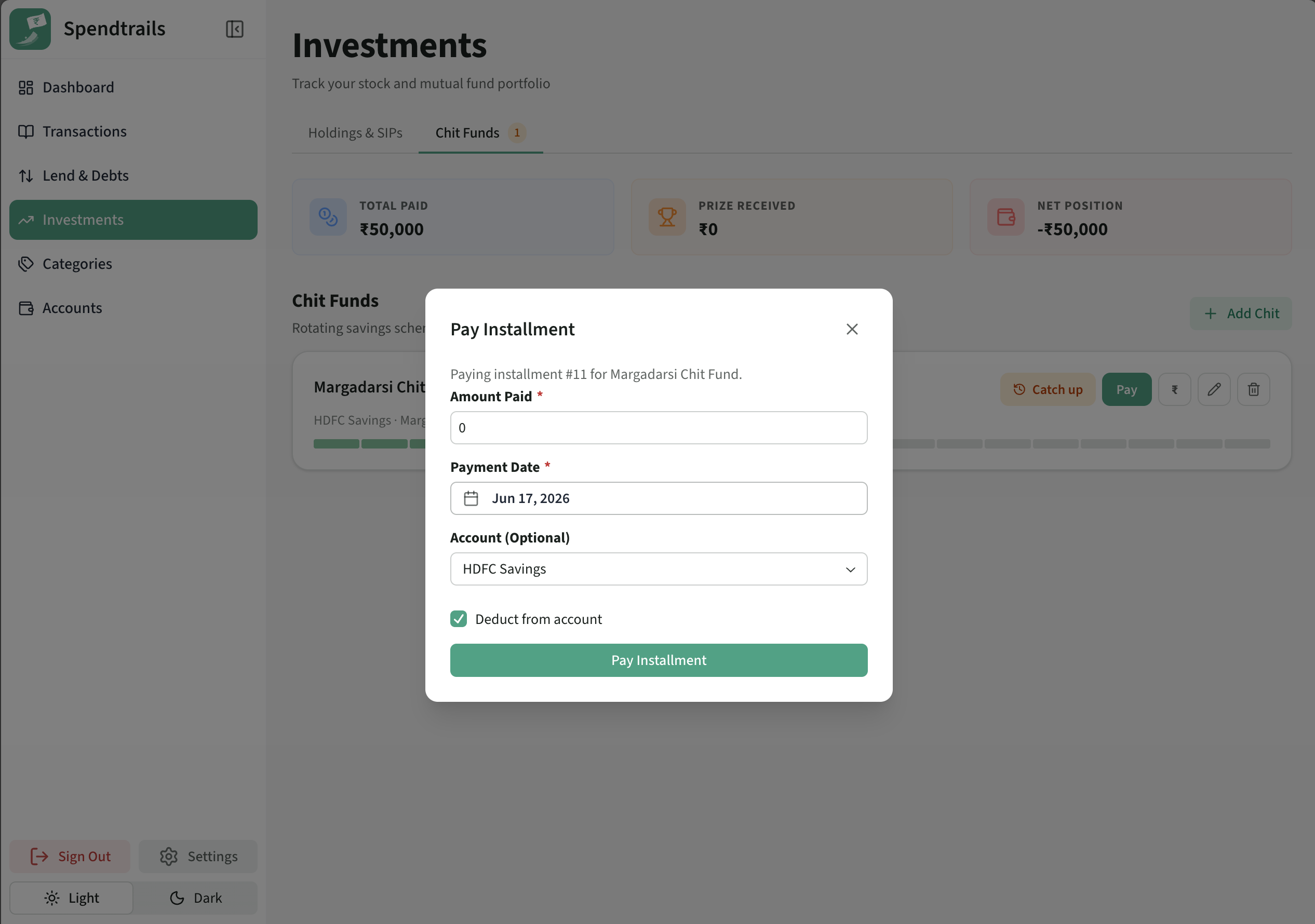
'Pay installment' is for paying a month now. It has a 'Deduct from account' checkbox (on by default): when ticked, it subtracts the amount from the account you pick and creates the matching expense, so your balance drops. Untick it to record the payment without moving any money.

I'm on a 20-month chit (due the 15th), already paid 10 months elsewhere. How do I get current in the app?
First, use 'Catch up' to record months 1-10 in one go. These are historical, so they're logged for history only and won't touch your account balances.
From month 11 onward, whenever the money actually leaves a tracked account, use 'Pay installment' with 'Deduct from account' ticked. That keeps both the chit schedule and your real balance accurate going forward.
Month 11's installment came out of my own bank account this month. Should I use Pay or Catch up?
Use 'Pay installment', tick 'Deduct from account', and select the account the money came from. This records the installment AND creates the linked expense, so your account balance goes down by the installment amount.
'Catch up' would have been the wrong choice here - it only records history and never moves money, so your bank balance wouldn't have reflected the payment you actually made.
I paid an installment but don't want it to affect my account balance. What do I do?
Open 'Pay installment' and untick 'Deduct from account' before saving. The month is marked paid for the chit schedule, but no expense is created and no balance changes.
This is handy for installments paid in cash you don't track, or that you've already logged as a separate transaction.
How do I record the month I win the chit (the prize/payout)?
On the winning month, use 'Record prize'. Enter the payout you received; this is tracked separately from your installments and feeds into the chit's net position and returns.
An installment is overdue - what does the badge mean and how do I clear it?
The orange badge on the Chit Funds tab counts chits with at least one overdue installment (its due date has passed and it isn't marked paid). Open the chit and pay the outstanding month with 'Pay installment' to clear it.